Archive

Archive for the ‘Technology’ Category

Mifi 2352 for Zain – Kuwait

June 4th, 2010 1 comment

The following settings are needed to use the Mifi 2352 (unlocked) for your Zain 3.5G data plan:

APN: hspps
Username: hspps
Password: hspps
Authentication Type: PAP

That’s for the Zain mobile carrier of Kuwait.

Categories: Technology Tags: , , , , ,

Microsoft Visual Studio 2010 Launch in Kuwait

May 12th, 2010 No comments

Microsoft are doing Visual Studio 2010 launch in Kuwait and then premiering the movie Robin Hood. That’s two days before the movie launch in Kuwait cinemas.

Location: Cinescape 360, 360 Mall
Date: May 18th, 2010

Agenda:
01:45 PM – 02:00 PM | Registration
02:30 PM – 05:15 PM | Presentations
05:15 PM – 05:30 PM | Break 
05:30 PM – 07:20 PM | "Robin Hood Movie"

Register and book your seat here.

MSFT_VS2010_launch

Q8CPC – Kuwait’s National Collegiate Programming Contest

April 18th, 2010 2 comments

[UPDATE: the competition has been postpond to September.]

For the first time, the ACM’s International Collegiate Programming Contest is coming to Kuwait by the American University of Kuwait. The contest will be held by May 1st, 2010. The opening ceremony and the practice session will be held two days earlier. More information will be revealed soon.

This contest is a good opportunity for students to prepare for the regional contest ACM ACPC formally known as (ACM ICPC ANARC).

Check the PDF for the “Call for Participation” letter: Q8CPC Call for Participation.

Categories: Programming Tags: , , , ,

Zune for International Users

April 7th, 2010 1 comment

So you are now one of those people who found out about Zune and got really turned down by Microsoft for preventing us to access the device and the Marketplace just because we do not live in the US? Don’t worry because I have the ultimate workaround.

zunesoftware

Since the released of Zune Software 4.0 and the integration of Zune Marketplace to the Xbox 360, Microsoft has stepped a big leap forward into the Music and Entertainment industry. The Zune Software 4.0 is user-friendly and much more responsive than its competitive the iTunes in the Windows platform and the Zune HD device is awesome and feels much more robust than the current iPods. And thanks to the Zune Pass, the Zune Marketplace now provides unlimited number of music at the tip of your hand to listen to or download, of course, with DRM lock. The Zune Pass cost only $15 USD monthly but the problem is that if you are not based in the US, you won’t be able to enjoy the Zune Marketplace, heck, you won’t even be able to buy Zune. To be fair to the Microsoft folks, I think those roadblocks were necessary for license music in the Marketplace whether the Zune team really wanted to block international users or no.

In this article I’m going to talk about how to own a Zune HD and get yourself hooked up with the Zune Marketplace with the full features of Zune Software 4.0 just like living in the states.

Get the Zune HD

Officially the Zune HD is supported and sold only in the states but you could find sellers in ebay that would happily sell it and ship it to your country but for an extra profit.

Zune HD

Another alternative is to buy Zune HD through Amazon or any other retailer and ship it to a “shipment forwarder company” in the states that ships anything they receive under your name to your home address. Basically, those types of companies will provide you with a US mailbox and an address, and if anything is mailed/shipped to that address it will be forwarded and shipped to your home. I personally use Aramex’s Shop&Ship but if you cannot use Aramex for any reason, you could always use DHL since they provide a very similar service. This kind of shipping service is available in my country and I’m not sure if it is available everywhere.

Grasp the Full Potential of the Zune Marketplace

Zune HD can play all music and videos in that’s already in your hard disk and playable by Zune Software 4.0. Now, here what really made me ditch iPod and iTunes, it is the Zune Marketplace. The main reason I made the move from iTunes to Zune Software is that I can get unlimited music with Zune Pass as I mentioned previously.

Now it is time to do some changes in your computer. Follow the next instructions before opening the Zune Software for the first time. You can download Zune Software from here.

Accessing the Zune Marketplace
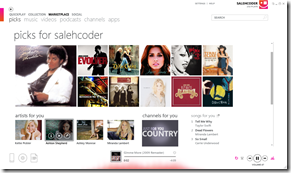
zuenmarket In a typical non-US computer you won’t see the Marketplace & the Social tab in Zune Software, however, you could easily solve this by setting your location to US. To do that, go to Control Panel –> Clock, Language, and Region –> Change location, then select your location to “United States” [Windows 7].

Now you should be able to see the Marketplace tab after restarting the Zune Software.

Get a Windows Live Account

Now you need to register for a Windows Live ID which is the generic account for all Microsoft services, or you could just grab a new Windows Live or Hotmail email which is also considered as a Windows Live ID. You could use your existing Live email.

Just ensure that in your profile your home address is set to US. You could use any US-based address you want. Heck, you can use any of Microsoft offices address 😀

If you followed previous instructions you should be able to browse the Zune Marketplace and play with it. But wait! We are not done yet. Follow next instructions if you want to be able to buy Music and download them.

Note: To login successfully in your Zune Software, your PC location has to match the location in your Windows Live profile which should be US by now.

Purchasing Music from the Zune Marketplace
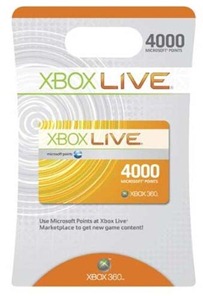
xbox point cardTo purchase Music from the Zune Marketplace you’re going to need Microsoft Points which is the currency being used for the Zune Marketplace and it is also the same currency being used for the XBox 360 Marketplace. You can purchase Microsoft Points online by the Zune Software but the problem is that Zune Marketplace only accepts US-credit cards. Fortunately, I was able to overcome this roadblock with the Xbox point card.

You can purchase an Xbox point card by either asking a friend from US to buy one for you and send you the card code, or you could head to ebay and buy one. Some sellers in ebay will just email you the card codes regardless of your location which is perfect for a fast solution. I personally buy from GSG online retailer because I’ve bought several Microsoft Points from him already so I trust him, and he usually send the code in less than 24 hours.

Now that you have the card codes, launch Zune Software in your PC then go to Settings –> Account –> Redeem code. Enter the code and you’ll be redeemed with Microsoft Points which can be used to buy anything in the Zune Marketplace.

You could also use those points to purchase videos on the Zune Marketplace but you’ll need to workaround it more to download videos. I’ll talk about it later.

Zune Pass

Want to enjoy the ultimate experience of Zune? Then Zune Pass is your salvation.
zuenpass

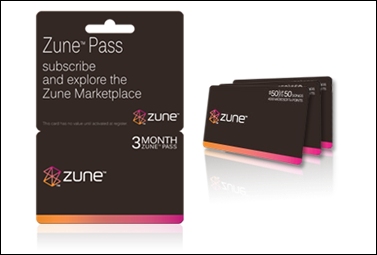
Again, the Zune Marketplace will not accept a non-US credit cards so you won’t be able to purchase Zune Pass on your own. It took me a lot of Googling (Bing suck!) to figure out alternatives which is the Zune Pass Anywhere retailer. It provides you with a Zune Pass but for a higher price and they will need to access your account so you’ll have to submit your password. Basically, they will access your account and buy a Zune Pass.

Alternatively, if you have a friend in the states you can ask your friend to buy you a Zune Pass card from Best Buy for $15 and email you the card code.

Videos

So far you should be able to download music yourself with no problem. The experience is not complete without the ability to purchase videos from the Zune Marketplace or downloading it. Easy, get a VPN (aka Virtual Private Network) for as low as $40/year from some firms.

I use Witopia but there are many other companies that provide VPN and you probably could even find lower prices. But you have to ensure that the VPN is based in the states. By the time I write this article it seems that the video download works even when the VPN service provide you with an anonymous-IP.

As soon as the video starts downloading, you won’t need VPN anymore. If your VPN connection is slow, you could pause the download then disconnect your VPN connection and resume the download with your regular connection.

After doing the first download, it doesn’t seem to need VPN anymore to download any additional videos. I don’t know the actual reason behind it but I can guess that because I have already purchased a Zune HD and linked it to my account.

Finally…

What Microsoft has done with Zune HD and Zune Software 4.0 is really incredible. If you were one of those lucky people who own a Zune HD and Zune Software, you officially own the modern device and software. They are both much user-friendly, easy to use and feels much more modern than the iPod-like interface. If you are a tech-savvy you are probably bored from the iTunes and iPod interface which feels really out-dated. You would also notice the big gap in performance with Zune Software 4.0 compared to iTunes 9.1.

You can connect to my profile:

Happy Zunning!

Novatel Mifi 2352 with Viva

April 3rd, 2010 19 comments

Purchasing the Novatel Mifi 2352 is a procurement that I’m never going to regret. Not only I can access the Internet with my phone through a wifi router that can fit in my pocket, but I can also use my PDA and Zune HD to access the web at the same connection (subscription) while on-the-go. Sharing my connection with my Internet-savvy friends is also a big plus. In this post I’m not writing a review about the device but a quick test. Why should I write another review when there are a lot of reviews online?


01042010303

The following test is based on my connection which is an HSDPA connection from Viva Telecom in Kuwait. According to the carrier, my subscription speed can reach up to 7.2 Mbps. I bought the device from Cameo store which is located in Hawalli, Kuwait, for 72KD. And it comes with various wiring options and a small how-to-get-started print.


Speed Test

Here comes the speed testing in Salwa area, but keep in mind that lots of variables can game here. I just want to give you a sense on what this device is capable of. I’m not doing a scientific or geekish connection test, I’m just doing the regular method of quick speed testing for a regular web citizen to understand.


Capture4


I’m going to do the speed testing with both the Mifi 2352 and my old USB dongle Huawei E180 for comparison. I’ll use the same sim card on both connections. Note that both devices supports up to HSPA speed, that’s up to 7.2 Mbps for both devices and it’s stated on the datasheets of both devices.


Capture2 The image above represent the status of the connection on the Mifi 2352 device. As you can see, it is connected by HSPA technology (HSDPA & HSUPA). I did the test to a server located in Washington DC by Speakeasy. The first test of the Mifi 2352 resulted about 1.74Mbps download and 0.27Mbps upload. I switched back to the Huawei USB dongle and the tested result was 2.19 Mbps for download and 0.24Mbps for upload.


I did both tests again and the result was:

  • Novatel Mifi 2352: Download 1.09Mbps – Upload 0.28Mbps
  • Huawei E180: Download 2.92Mbps – Upload 0.21 Mbps

Definitely there are differences in the performance of both devices. It seem that the USB dongle is faster on downloading. Again, this is a quick-test to have a sense of what to expect from the Mifi 2352. It’s not a scientific test and it is not reliable testing method and I’m doing this in uncontrollable testing environment.


I’ll do more testing later and then I’ll report back.

Categories: Computer and IT Tags: , , , , , ,

Senior and Fresh Graduates Job Oppotunity from Microsoft

March 31st, 2010 No comments


Microsoft has a program called MACH (Microsoft Academy for College Hire) to hire fresh graduates. As a Microsoft Student Partner, Microsoft has informed me that they are looking for fresh graduates and senior students in Kuwait University who would like to take part in this program. Participants will be offered a full time employment opportunity at Microsoft.

In order to qualify you have to meet the followings:

  • Be a final year student of an IT-related degree (2009 graduates will also be eligible)
  • Have a GPA equivalent to 3.0 or above
  • Be able to demonstrate a passion for technology
  • Speak and write fluent English and Arabic
  • Possess excellent communication and presentation skills as well as strong interpersonal skills
  • Be a strategic thinker
  • Be able to balance individual creativity with working as a team
  • Have a high degree of customer focus
  • Be available from July 2010 to take part in our summer internship.

For more information and to apply, read this document: Job opportunity from Microsoft

Wix – Build a Flash Website for Free

January 1st, 2010 No comments

Ever wanted to create a beautiful Flash website? Wix is a great place to start. It provides a set of flash layouts that you can customize and build your website to the final touch. It’s simple, easy and fast! Best of all, you do not need to have any knowledge in Flash.

Building a Gaming Rig – Kuwait – December 2009 (Part 1)

December 26th, 2009 No comments

(I’m sorry I won’t be able to continue with the next post)

I’ve decided to buy a high performance PC for gaming and heavy tasking that would last as long as possible and could play the latest games with the highest graphic settings. And since I’m from Kuwait I have limited choices as the online markets are off-limit because of the customs here and the extremely slow mailing system. After purchasing all parts and finish building  the PC all by myself, I’ve decided to share my experience for whoever is looking to buy a new gaming PC in Kuwait.

Since I went to college my need for better and faster PC grows at a greater pace. For the second year of college (2005) I bought my second laptop which is Fujitsu Siemens M4348G for the pure purpose of gaming. It was a big mistake because it was heavy and bulky and it is pain to carry even for short distances venturing within the college walls. And the 17 inch laptop looks stupid on me since I’m a short guy.

The year after that (2006), I’ve learned from my mistake and bought an Asus A8js which was the best laptop performance and graphic wise within the 14 inch range and it weights around 5.5 pound which is considered great for travelling or, in my case, the need for the laptop almost all the time in college. I was able to stick with this great laptop for 2 years which is the average age of laptops nowadays.

By 2008 I’ve decided to buy the Vaio Z laptop which is according to my research, it is the best suitable laptop for me! Great specification for such a small laptop (13.3 inch). Decent graphic card, 6 hours of battery life, very lightweight, core 2 duo and 2 GB of RAM… what more could I ask for? Luckily I was in Toronto, Canada, that time and they do sell new Vaio PCs early at a good price compare to Kuwait’s prices. I grabbed a laptop from the store few days before it was displayed in the store… and I lived happily ever after!

By December of 2009 I was about to explode of anger due to performance problem I’m facing playing new games and with my regular usage of a computer. I’ve decided to get a new PC and my aim was to use it for the following:
 

  1. Gaming, thus I need a better graphic card.  The Geforce 9300 GS for my Vaio Z laptop wasn’t able to play even some of the old games with decent graphic settings which really suck. I’m a heavy gamer and I love games and my laptop isn’t nearly enough to satisfy my appetite for new games. After playing Dragon Age: Origins for awhile tweaking settings and all it wasn’t a pleasant experience. The bad frame rate even with the lowest settings and it still go for 10 FPS or less. I had to go for a new PC with better graphic card, I don’t want to play the upcoming games like Supreme Commander 2, Command and Conquer 4 and Final Fantasy XIV with low frame rate.
     
  2.  Browse smoothly! Nowadays websites are more complicated and requires more resources than old days with all the Flash, Javascript and rendering duty it perform. Google Reader is a performance hug when there is hundreds of articles awaiting in the stack. Working with multiple browsers is required for an I.T. professional.
     
  3. Multimedia. I can’t complain about Vaio Z when it comes to play HD content even in stamina mode. I’m an HD freak and I watch every show and movie in HD and Sony geniously created this laptop to fit a heavy multimedia user. Amazing HD playback capabilities, built-in Toslink/Optical audio output, decent speakers and full HD HDMI output port.  The only drawback is that I only have 240GB of HD space which get filled with the basic applications and music files that I install as soon as I format my machine. So, with the new PC I need to go up one more level of home entertainment with enough amount of disk space.
     
  4. Virtualization… RAM killer! Virtual machine eats a lot of memory and when you’re only with 3GB of memory, you won’t have enough memory left to work within the main OS smoothly. Windows 7 comes with a new feature called Windows XP Mode which allows you to run Windows XP on top of Windows 7, it could be helpful when you are running applications that are compatible with Windows XP only but you’ll need a chip-level virtualization which is supported in the Vaio Z.
     
  5. I’m a programmer. Programmers and web developers generally do not need cutting edge CPU and high amount of RAM except in some situations, however, a smooth working environment for a programmer is certainly a big plus. It is not like I’m developing a game or something big but it feel more comfortable to work when you run your website on a GlassFish or MAMP local server and it executes fast enough to do a fast testing and get done with your work quickly. Some big IDEs like Netbeans and Visual Studio 2010 requires more resources when you start developing a mid-sized applications because of all the background processes happening during the development period. I know some programmers still uses Pentium 3, but I’m not really patience when my fingers start writing codes.
     
  6. Designing. I use Adobe Flash, Flex, Photoshop and Swift 3D. Photoshop is pain in the ass when I start creating posters and flyers. It starts getting slow when I go to large designs and as deep as 300 DPI and beyond. Certainly a memory of 3GB is not enough with all other applications working on the background. Also rendering is freaking slow on my Vaio Z which is another drawback.


To be continued…

Life at Microsoft

December 16th, 2009 No comments

I’d like to share some great and funny videos about working at Microsoft.

Episode 1
Episode 2
Episode 3

Categories: Computer and IT Tags: , ,

TechED Middle East Website

December 6th, 2009 No comments

As mentioned before, TechED is coming to the Middle East and now the public website is live for registration for $595 US for early registration which is $230 cheaper than the standard fee.

That’s around 170KD which I think is still expensive. There should be a student registration with cheap registration fee or maybe make it free since Microsoft are marketing their products after all!